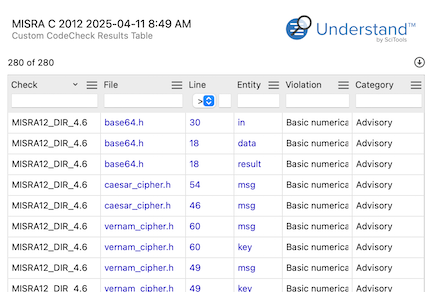
Custom CodeCheck Results Table is one of Understand's built-in reports — run it on your own code from the GUI, or headlessly with und report.
Custom CodeCheck Results Table
Languages: AnyTargets: CodeCheck
A basic results table script intended for customization.
This version shows how to add a column for the check "Category" to the Results Table. How was it added?
- Add "Category" to the list of table columns at the top of the script
- Add these three lines of code to the bottom of the generate function:
if "Category" in columns:
  report.tablecell()
  report.print(tagValue(inspection, v.check_id(), "Category:", tagCache))
- If desired, add your new column to the list of default columns in the init function
- Click the customize button from the plugin manager
- Change the name of the script so it doesn't conflict with this one
- Save the script with your changes
- Scripts are cached, so your new script won't appear in the plugin manager until you manually refresh the script cache with the refresh button or relaunch Understand. This also applies to any script changes. Scripts won't appear in the plugin manager if they have syntax errors.
- Enable your plugin from the plugin manager
- Run your plugin from the context menu of an inspection