Control Flow is one of the interactive graphs Understand can draw of your code — call trees, dependencies, control flow, and more.
Control Flow
Languages: AnyTargets: Functions, Subprograms
Variants: Classic, Compare
Show the flow of control through a selected function, method, or subprogram as a flowchart.
The default shapes and colors are:
- Conditionals (
if/else if, and similar): diamond - Loops (
for,while,do while, and similar): oval catch/finally: ovaltry: hexagonswitch/case(and similar): octagon- Everything else: rectangle
- Unreachable code: red, regardless of shape
Edges leaving a conditional or loop are labeled for the branch taken.
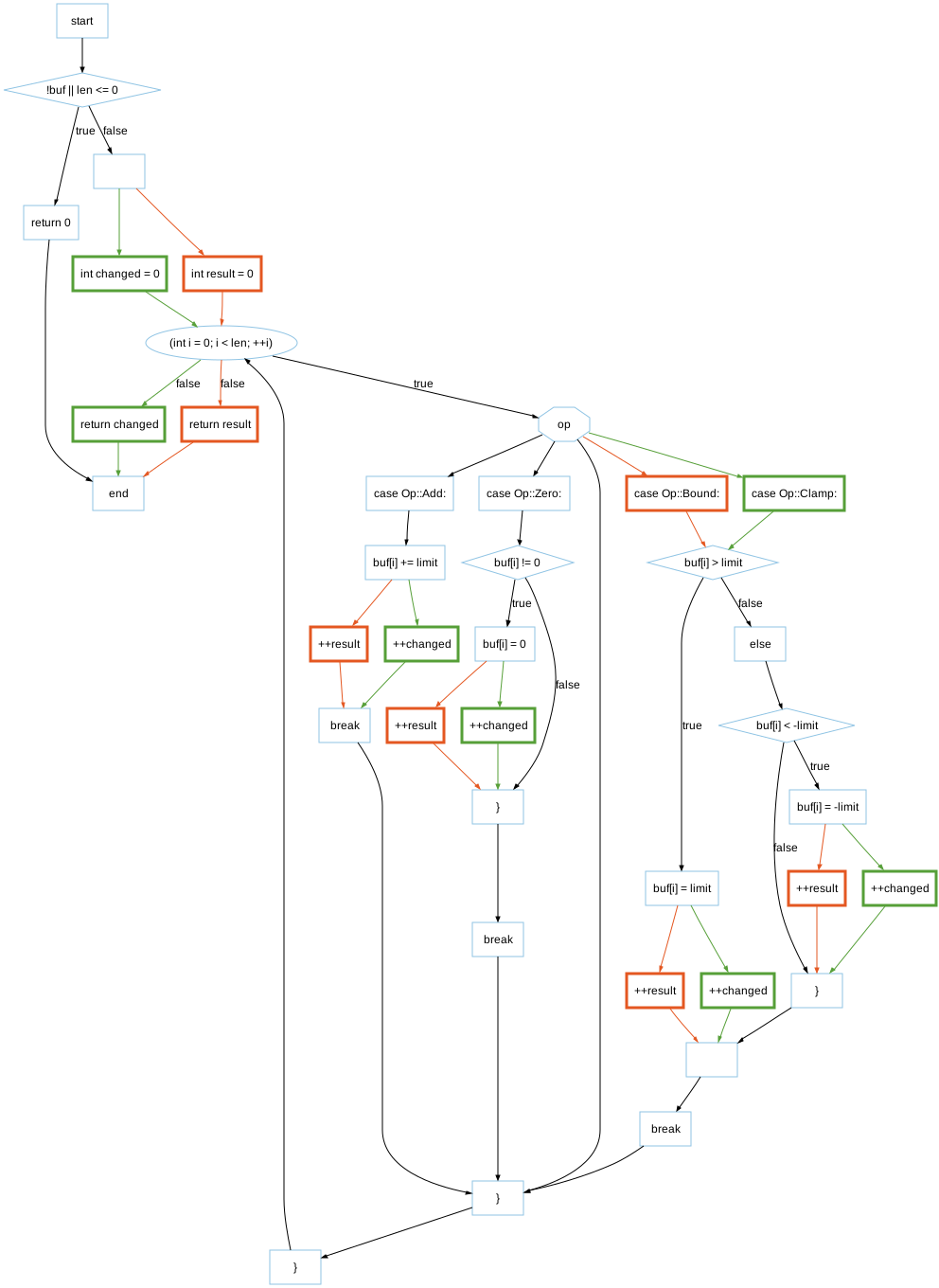
For example, see the following code and corresponding graph
enum class Op { Add, Clamp, Zero };

int process(int* buf, int len, Op op, int limit) {
    if (!buf || len <= 0)  // diamond: true returns early
        return 0;

    int changed = 0;
    for (int i = 0; i < len; ++i) {  // oval: loop clause
        switch (op) {  // octagon: edge to each case
            case Op::Add:
                buf[i] += limit;
                ++changed;
                break;  // loops back to the oval above
            case Op::Clamp:
                if (buf[i] > limit) {  // diamond
                    buf[i] = limit;
                    ++changed;
                } else if (buf[i] < -limit) {  // diamond
                    buf[i] = -limit;
                    ++changed;
                }
                break;  // loops back to the oval above
            case Op::Zero:
                if (buf[i] != 0) {  // diamond
                    buf[i] = 0;
                    ++changed;
                }
                break;  // loops back to the oval above
        }
    }
    return changed;
}
Control Flow - Classic
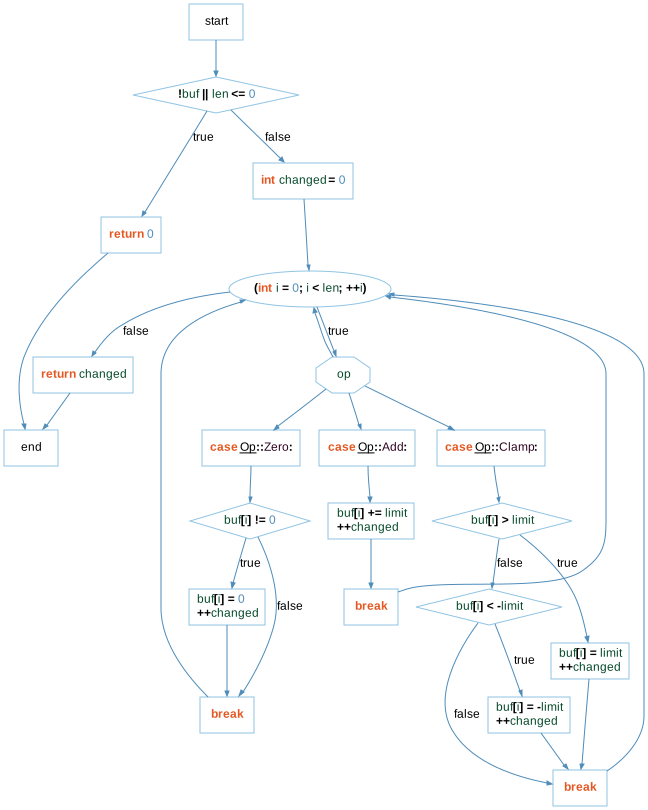
Control Flow - Compare
The Compare variant shows how the graph has changed relative to the project's comparison database.