What is an architecture & why build one?
An architecture in Understand is an abstract hierarchy layered over your source code — a named, nested grouping of files and entities that you define, independent of the folders they live in. Some people like to think of architectures as buckets you sort your code into; others as labels you tag code with. However you conceptualize it, an architecture lets you organize the code in ways that make sense to you and your team, apart from the directory structure.
Architectures aren't limited to files: any entity Understand analyzes — functions, classes, variables, and more — can be placed in an architecture node. Each node can hold entities and further sub-nodes, so the hierarchy goes as deep as you need.
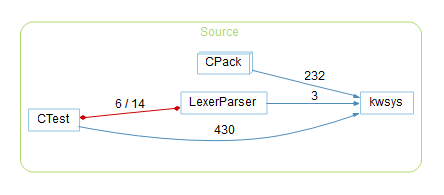
Why build one
Organize the code the way your team thinks about it, then use that structure everywhere Understand reports dependencies, metrics, and graphs:
- By owner / team — group files by the engineer or team responsible, to see who owns what (or generate this automatically from Git).
- By feature or subsystem — group code into functional units to study the dependencies between them (e.g. does the API depend on the UI?).
- By concern — collect everything you want to watch, such as third-party libraries or entities flagged for a security review.
Because an architecture extends each entity's parent chain, Understand can compute
architecture-level dependencies and
per-architecture metrics — and even
enforce rules about which groups may depend on
which. You can also run CodeCheck against a specific architecture
— for example, lint just the safety-critical node (in the GUI
or with und codecheck -arch).
Questions an architecture can answer
Once code is grouped the way you think about it, cross-group questions become one graph or matrix away:
- "Does our production code depend on open source?" Group the code into Production and Open Source nodes, then open the architecture's dependency graph or matrix — any edge between the two is your answer, down to the exact references. If the answer must stay "no", make it an enforced rule that fails the build when someone adds the edge.
- "Does the restricted code pull in a third-party library?" Same pattern: a Restricted node, a Third-Party node, and the Dependency Matrix cell between them.
- "What's been refactored, and what hasn't?" Tag code into Refactored as the work lands, then compare per-node metrics — or let the Git architectures group by churn for you.
- "Bob just retired — whose code depends on Bob's?" The auto-generated Git Owner architecture gives every engineer a node; open Depended On By on Bob's to see exactly what leans on it.
Built-in vs. custom
- Built-in (automatic) architectures are generated for you — Directory Structure (always present, mirrors the file system), plus Calendar, Language, and Visual Studio where applicable. Automatic architectures are regenerated when the project is analyzed.
- Plugin architectures — a lot of useful architectures ship with Understand as plugins that just need enabling in the Plugin Manager: the Git architectures (owner, author, churn), CMake (your CMake project's structure), Cycles, Copyright and License, and more — see the architecture catalog for the full list.
- Custom (manual) architectures are ones you build by hand or import — the free-form groupings above.
Architectures are saved with the project, so anyone who opens the same project gets them automatically — no extra sharing step for teammates on a shared or version-controlled project.