Activate Understand — redeem a claim code & enter your license
Claim code ≠ license code
A claim code (what you get when you buy) must first be redeemed at the licensing portal to produce your actual license code, which is what you enter in Understand. If you paste a claim code into Understand you'll see “This is a claim code and needs to be entered on licensing.scitools.com to generate your Understand license.”
No license yet? You can still try Understand
Understand runs for free on the included sample projects and on any open-source project, and a trial license lets you run it on your own code too. We'd also be happy to have one of our engineers meet with you and demo the features you're interested in.
1. Redeem the claim code (licensing.scitools.com)
- Go to licensing.scitools.com. If you don't have an account, click Register and create one (name, email, password).
- Click Redeem Claim Code, enter your claim code and an Organization name to associate the license with, then click Redeem.
- Your license code is generated and shown on a license card.
2. Enter the license code in Understand
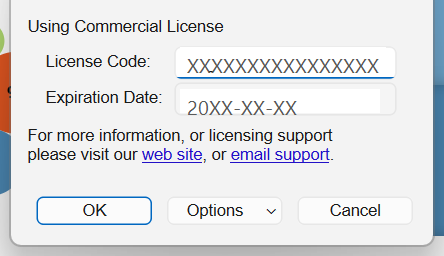
First launch (online): on a machine that has never been licensed, Understand shows the Licensing dialog. Type your code into License Code (the field reads “Enter License Code”) and click OK. If the code is valid, Understand starts. (A machine with a license problem instead shows an error dialog with an Enter License Code button — same destination.)
Any other time: open Help → Licensing, type the code into the License Code field, and click OK.
No internet on this machine? Use offline licensing instead.
Buying / renewing
The Licensing dialog's Buy Now button opens scitools.com/buy/understand/. For purchasing, renewals, or quotes, contact [email protected]; for license-code problems, [email protected] (subject “Product Licensing”).